Edit an Offer
Make changes to a current or past offer.
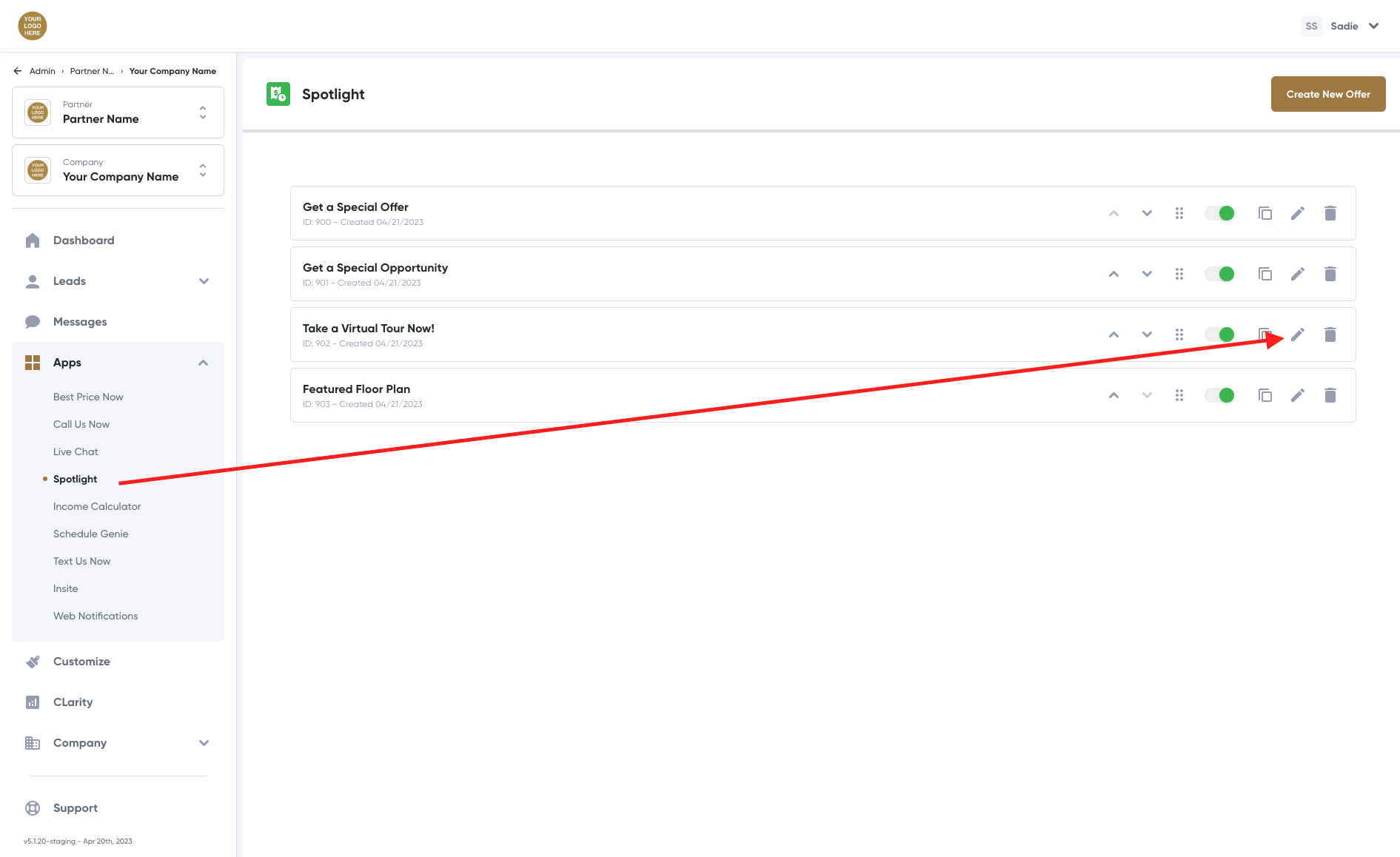
Edit an Offer
- Log in to the platform.
- Scroll down to and click the Apps tab in the navigation menu, then click Spotlight.
- The Spotlight page opens in the main window.
- Scroll to and locate the offer to be modified, then click on the pencil icon associated with the offer to open the Spotlight editor page.
- The Spotlight editor page opens.
- Review the description of each section and field in this article, then make the necessary changes.
- Click Save.
Related Articles
Lead Details Page
Be Prepared. Dial-in on customer preferences and must-haves before they step foot in the door. The Lead Details Page includes customer contact information, each customer's unique journey, any Best Price Now recommendations, claimed offers, scheduled ...Offer Duration and Paths
Limit when and where offers appear by creating offer start dates, offer end dates, and website paths. Set Offer Start and End Dates Log in to the platform. Scroll down to and click the Apps tab in the navigation menu, then click Spotlight.™ The ...Offer and App Settings
Incentivize website visitors by creating compelling offers. Add Offer Details Log in to the platform. Scroll down to and click the Apps tab in the navigation menu, then click Spotlight. The Spotlight page with existing offers opens in the main ...Spotlight Overview
Make them an offer they can’t refuse. Deliver the right offer, to the right customer, at the right time. Spotlight lets leads and customers view available offers and promotions from any page of your website. Offers, promotions, and notices can change ...Drive traffic to a particular offer or module
There are multiple ways to present offers or information to your customers. Hyperlink: Modal or Pop-Up Window Use a hyperlink to present apps or modules in a modal or pop-up window in the center of the screen. If appending a URL containing UTMs with ...